


If you want the short answer, the best Harmony replacement for most modern living rooms is the SofaBaton X1S. It is the best fit for buyers who want one remote for a TV, soundbar, and streaming device without turning daily control into a project.
If your setup is more advanced and you care about projector control, AVR workflows, Home Assistant, or local IP control, the better choice is SofaBaton X2. If your room is much simpler and you do not need full room-level control, SofaBaton U2 or U2 Backlit can still make sense.
That is the real key to this topic: there is no perfect one-to-one replacement for every old Harmony model. The right answer depends on how complex your room is, how many devices you switch between, and whether you want a true one-remote workflow or just a basic universal remote.
Quick answer
- Best overall for most buyers: SofaBaton X1S
- Best for advanced rooms and smart-home users: SofaBaton X2
- Best for simpler TV-first setups: SofaBaton U2 or U2 Backlit
- Best for Apple TV, Fire TV, Roku, TV, and soundbar together: SofaBaton X1S
- Best for projector + AVR + streamer rooms: SofaBaton X2
Why people still search for a Harmony replacement
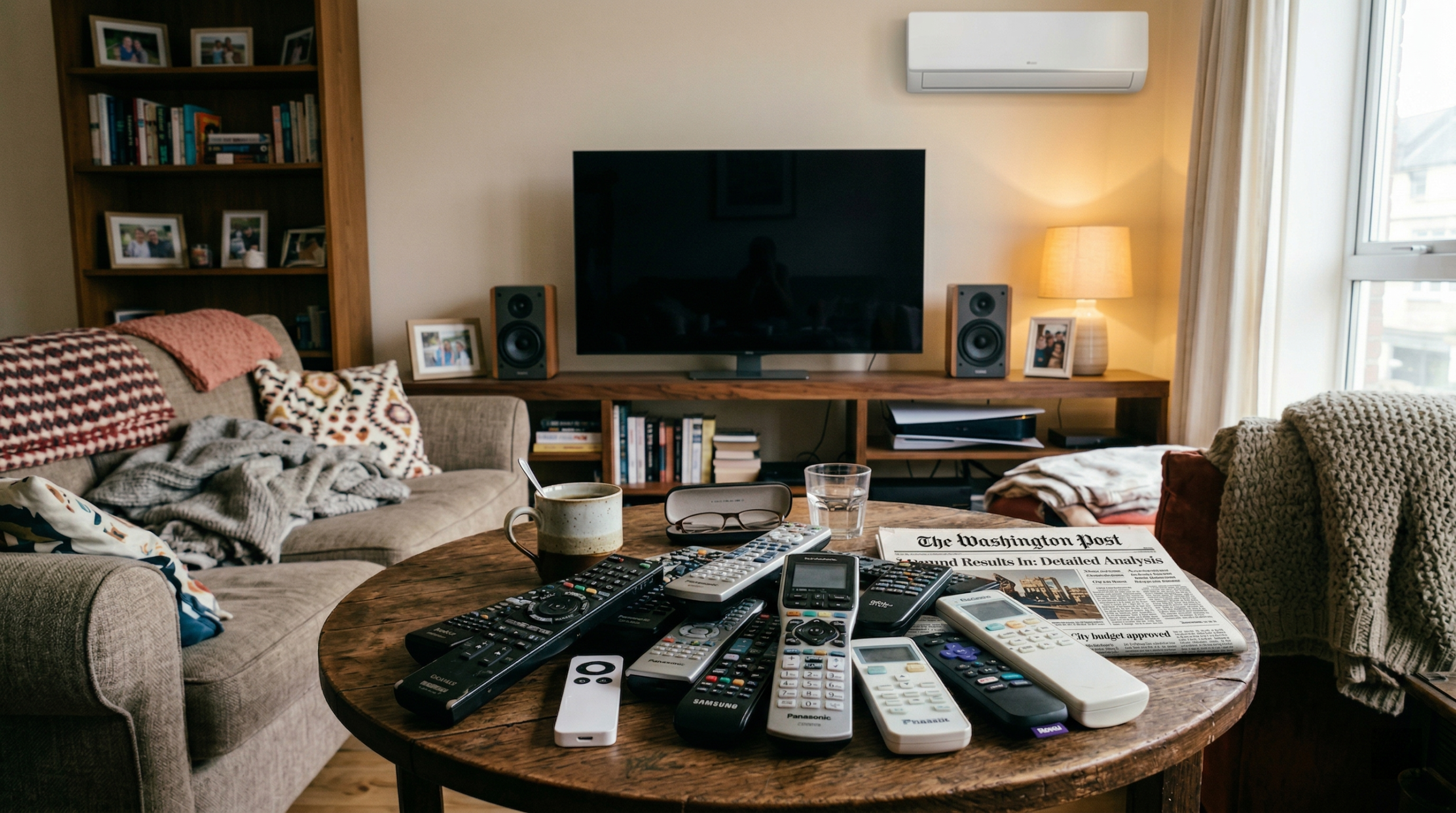
This keyword is still active because the original problem never went away. People are not searching for nostalgia. They are searching because they still want one remote that can run the room instead of juggling a TV remote, streamer remote, soundbar remote, and whatever else lives on the coffee table.
That distinction matters because most people searching for a Harmony replacement are not looking for a spare remote. They are trying to make the whole room easier to use. If you already know you want to compare models side by side, start with the SofaBaton comparison page.
Logitech announced on October 4, 2021 that it would stop manufacturing Harmony remotes. In a later support notice dated May 28, 2025, Logitech also said the legacy Harmony Remote Software had been shut down. That does not mean every existing Harmony remote stopped working overnight, but it does mean buyers have even more reason to look for a long-term alternative rather than hoping an aging setup will stay easy forever.
For most buyers, the real replacement question sounds like this:
- Can I control the whole room with one remote?
- Will it work with Apple TV, Fire TV, or Roku?
- Can everyone in the house use it without a long explanation?
- If my setup is more advanced, can it handle projector or AVR control too?
That is why this is such a strong bottom-of-funnel topic. People searching for a Logitech Harmony alternative are usually close to choosing a product.
What actually makes a good Harmony replacement
A good replacement does more than copy the shape of an old remote. It should solve the same room-control problem that made Harmony useful in the first place.
1. It should control the room, not just one device
The most common mistake in this category is buying a remote that replaces only one missing controller. That is not what most former Harmony users want. They want fewer steps and less friction across the whole setup.
2. It should fit your room complexity
A simple TV-first room and a projector-plus-AVR room do not need the same answer. One buyer needs an easier family remote. Another needs more advanced control logic. Those are different use cases.
3. It should match your actual devices
Apple TV, Fire TV, Roku, TVs, soundbars, receivers, and projectors all create different compatibility and workflow demands. A universal remote like Harmony only feels useful if it actually fits the devices you use every day.
4. It should stay usable for everyone in the house
The right replacement is not just powerful. It is also easy enough for daily use. If only one person can operate the room, the setup problem is not really solved.
5. It should leave room for advanced control when needed
Some buyers just want better living-room control. Others want Home Assistant, local IP control, or more advanced automation behavior. The right model depends on how far you want to go.
Top picks at a glance
| Use case | Best pick | Why it fits |
|---|---|---|
| Most modern living rooms | SofaBaton X1S | Best balance of room control, compatibility, and everyday ease |
| Apple TV + TV + soundbar | SofaBaton X1S | Better fit for a true one-remote living-room workflow |
| Fire TV or Roku + TV + sound | SofaBaton X1S | Strong choice when switching between remotes is the main pain |
| Smart-home and advanced rooms | SofaBaton X2 | Better fit for Home Assistant, local IP control, and more complex setups |
| Projector + AVR + streaming box | SofaBaton X2 | Better aligned with theater-style room complexity |
| Simpler TV-first setups | SofaBaton U2 / U2 Backlit | Fine if you do not need full Harmony-style room control |
Best overall for most buyers: SofaBaton X1S
For most people searching for a Logitech Harmony alternative, SofaBaton X1S is the clearest place to start.
Most buyers are not trying to rebuild a power-user automation lab. They are trying to fix a modern living room. They want one remote that can make TV, streaming, and sound easier to control every night.
According to SofaBaton’s official product and compare pages, X1S is built around:
- activity mode
- a hub-based setup
- infrared support
- Bluetooth LE support
- classic Bluetooth support
- Roku Wi-Fi control
- support for devices and services such as Sonos and Philips Hue
That combination is what makes X1S feel closer to a real Harmony replacement than a basic universal remote. It is designed around room behavior, not just one device at a time.
Why X1S is the best fit for most living rooms
- It is the strongest answer for TV + streamer + soundbar rooms.
- It fits the most common buyer goal: fewer remotes and easier daily control.
- It makes more sense for family use than a remote that only solves part of the setup.
- It is a better match for buyers who want a practical upgrade, not just a cheap backup remote.
Buy X1S if your setup looks like this
- TV + Apple TV + soundbar
- TV + Fire TV + soundbar
- TV + Roku + soundbar
- a living room where more than one person uses the system
- a setup where remote switching is the real problem
When X1S is not the best answer
X1S is not automatically the best choice for every buyer. If your room is more advanced and you care about Home Assistant, local IP control, projector workflows, or a more automation-friendly setup, X2 is the stronger choice.
Best for advanced rooms and smart-home users: SofaBaton X2
If your old Harmony setup was doing more than handling a basic TV room, SofaBaton X2 is the more interesting option.
Based on SofaBaton’s official X2 materials, X2 adds:
- Home Assistant integration
- local IP control
- IR + Bluetooth unified control
- customizable macros
- optional infrared repeater support for broader IR coverage
That changes the recommendation. X2 is not just a different version of the same living-room answer. It is a better fit for buyers who want more flexibility, more advanced room logic, or a setup that goes beyond everyday TV control.
Buy X2 if your setup looks like this
- projector + AVR + streaming box
- advanced media room
- smart-home-heavy setup
- Home Assistant environment
- a room where custom logic matters more than simple daily convenience
Why X2 is not the default answer for everyone
Some buyers hear “more advanced” and assume that means “better.” In practice, that is not always true. If your room is a normal TV + soundbar + streamer setup, the best experience often comes from choosing the product that fits the job cleanly. For many living rooms, that is still X1S.
Best for simpler rooms: SofaBaton U2 or U2 Backlit
Not every buyer needs a full room-control solution. If your setup is simpler, SofaBaton U2 or U2 Backlit can still be a good value.
These models make more sense when your goal is basic universal-remote convenience rather than a full Harmony-style replacement.
U2 or U2 Backlit makes sense if:
- your room is mostly TV-first
- you use only a few devices
- you want a simpler remote at a lower complexity level
- you do not need full activity-style room control
Where simpler models fall short
If your real goal is to replace a more advanced Harmony workflow, this is usually where simpler remotes stop being satisfying. A low-friction TV setup and a real multi-device room are not the same problem.
That is why U2 is better described as a simpler universal remote, not the closest replacement for a former Harmony power user.
Choose based on your setup, not your old Harmony model
One reason many Harmony-replacement articles underperform is that they stay too generic. Buyers usually do not want a vague answer. They want a setup-specific recommendation.
Here is the practical version:
| Setup | Best pick | Why |
|---|---|---|
| Apple TV + TV + soundbar | X1S | Best balance of room control and living-room simplicity |
| Fire TV + TV + soundbar | X1S | Better fit for daily multi-device streaming control |
| Roku + TV + soundbar | X1S | Stronger replacement than a basic spare remote |
| Projector + AVR + Apple TV | X2 | Better fit for advanced control and more complex room behavior |
| Smart-home-heavy living room | X2 | Better for Home Assistant and local IP workflows |
| Basic TV + a couple of devices | U2 / U2 Backlit | Good enough if you do not need a full room-control layer |
If you are replacing a Harmony Elite, Harmony Companion, Harmony Hub, Harmony 650, or Harmony One, the better question is not “Which model looks most similar?” The better question is “What does my room actually need now?”
What about HDMI-CEC instead of a Harmony replacement?
Some buyers try to solve this problem by leaning more heavily on HDMI-CEC. In very simple rooms, that can be enough. But once the setup gets more complicated, CEC often becomes inconsistent or incomplete.
If your room includes:
- a separate soundbar
- an AVR
- a projector
- more than one streaming device
Then CEC often stops feeling like a real room-control solution. That is why buyers still search for a universal remote like Harmony instead of assuming TV-side automation will handle everything.
What makes a bad Harmony alternative?
A weak replacement usually has one of these problems:
- it replaces only one missing remote instead of simplifying the room
- it sounds cheap and easy, but does not reduce daily friction
- it is too limited for streamers plus audio
- it becomes confusing for anyone except the person who set it up
- it is marketed as universal, but does not fit the actual workflow of the room
That is why price alone is a bad decision filter for this keyword. The better question is: Will this make the room easier to use every night?
Frequently asked questions
What is the top Harmony alternative right now?
For most modern living rooms, the best starting point is SofaBaton X1S. It is the strongest fit for buyers who want one remote for TV, streaming, and sound without overcomplicating the room.
What is the best replacement for Harmony Elite?
If you are replacing a Harmony Elite-style setup and your room is advanced, SofaBaton X2 is usually the more relevant option. If your setup is closer to a standard living room with TV, soundbar, and streamer control, X1S is often the better fit.
What is the right option for Apple TV and a soundbar?
For that setup, SofaBaton X1S is usually the better answer because it is more closely aligned with room-level control across streaming, TV, and sound.
What is the right option for projector and AVR setups?
For more advanced rooms, SofaBaton X2 is the stronger answer because it is better suited to more complex control needs, smart-home integration, and theater-style environments.
Is U2 a true Harmony replacement?
Not for most advanced buyers. U2 is better understood as a simpler universal remote for lower-complexity rooms.
Is Logitech Harmony discontinued?
Yes. Logitech announced the end of Harmony manufacturing on October 4, 2021. Logitech also published a support notice dated May 28, 2025 saying the legacy Harmony Remote Software had been shut down. That is one reason buyers still look for a modern replacement path.
Final verdict
If you want the simplest answer:
- Choose SofaBaton X1S if you want the best overall replacement for a modern living room.
- Choose SofaBaton X2 if your setup is more advanced and you care about Home Assistant, local IP control, projector workflows, or AVR-heavy rooms.
- Choose SofaBaton U2 or U2 Backlit only if your room is simpler and you do not need full room-level control.
There is no perfect clone for every old Harmony user. But for most buyers, there is a much better path than remote clutter, HDMI-CEC frustration, or trying to keep an aging setup alive forever.
If your goal is a true one-remote living-room upgrade, X1S is the clearest place to start. If your room is more ambitious, compare the lineup on the SofaBaton comparison page.