Prerequisite: Before you start, please ensure that your U3 remote has already been paired with the R1 Repeater. The switching function will only work if the pairing is completed.
If you have already added your device and need to change its signal output to the R1 Repeater, follow these steps:
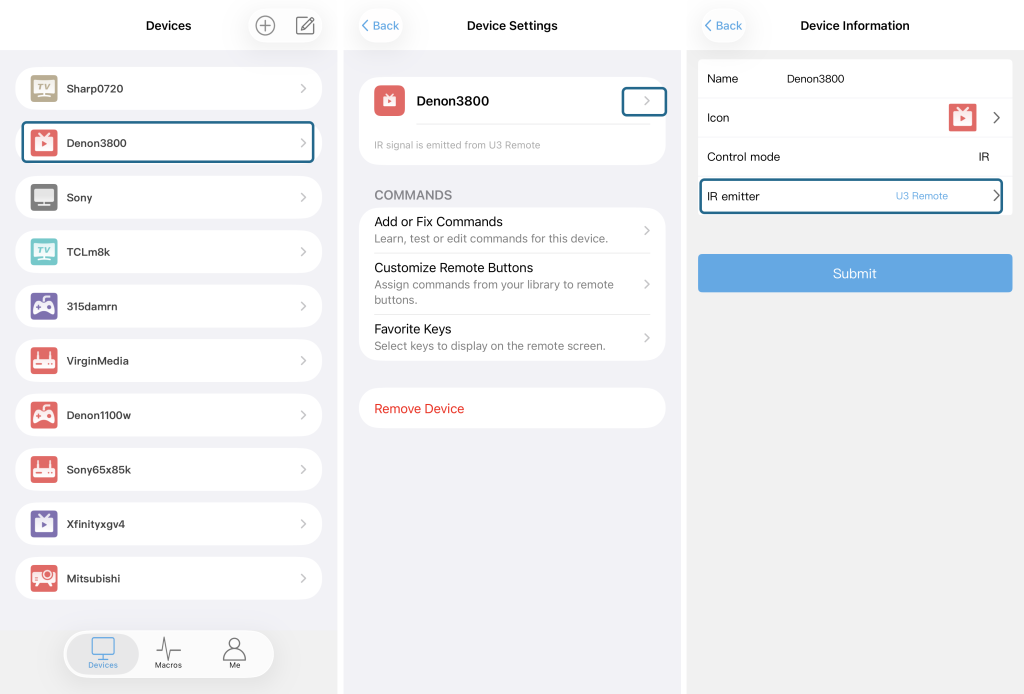
Select your U3 device from the device list.
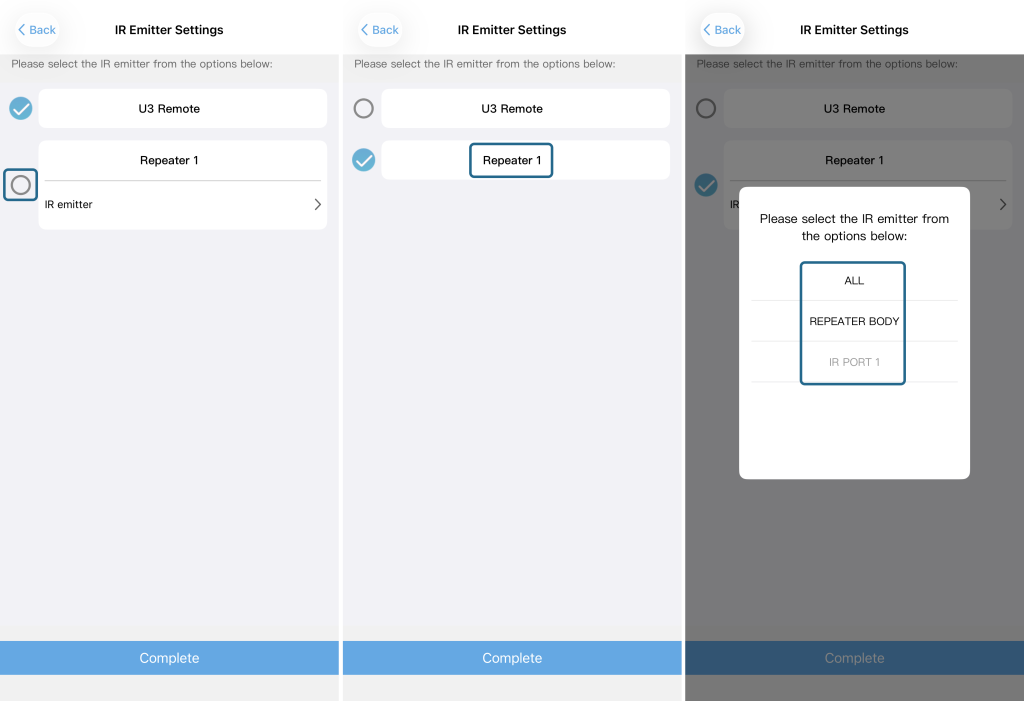
Click the corresponding icons as marked in Figure 2 and Figure 3 (the highlighted areas in the screenshots).
On the new page that opens, select Repeater as the output target.
Tap the Repeater name field – you will then see a list of available options (e.g., ALL, REPEATER BODY, PORT 1, etc.). Choose the one you need.
After selecting your desired option, click Complete to save the change.
The signal output will now be redirected to the R1 Repeater according to your choice.