





If you are reading this article, there is a good chance you have run into a few familiar frustrations: one remote for the TV, another for the set-top box, another for the projector, and yet another for the sound system or AV receiver. By the time you finally sit down to watch something, the first step is not enjoying the content. It is searching between the sofa, coffee table, and media cabinet for the right remote.
That is why universal remotes exist. They are not meant to add one more device to your home. They are designed to reorganize control of multiple devices into one simpler entry point. For new users, the most important question is not which remote is the most expensive, but which one best fits their home setup and daily habits.
SofaBaton focuses on universal remotes and home entertainment control. Our goal is straightforward: reduce the number of remotes, lower the cost of switching between devices, and help users control TVs, media players, projectors, speakers, and smart devices in fewer steps.
What Is a Universal Remote?
The core value of a universal remote is not only replacing several original remotes with one. It is also making the repeated, scattered, and error-prone control steps in a living room or media room easier to manage.
The most basic universal remotes usually replace original remotes for TVs, set-top boxes, DVD players, speakers, and similar devices through an infrared code database or learning function. They are a good fit for users with a small number of devices who mainly want to reduce remote clutter.
More advanced universal remotes add macros or activity-based control. For example, they can combine steps such as turning on the TV, turning on a TV box, switching the input source, and routing volume control to the audio system into one command. For people who watch TV, stream content, or use a projector every day, this saves not only remote count, but also time and patience.
When the setup grows to include a TV or projector, AV receiver, speakers, set-top box, streaming box, and other entertainment devices, a hub-based or smart control system becomes more valuable. The remote can send commands to the Hub first, and the Hub then controls different devices. This reduces the need to point the remote directly at each device and is especially useful for hidden equipment in a media cabinet and one-touch activity control.
The SofaBaton product line covers different levels of these needs. It supports 6,000+ brands and 500,000+ devices, which helps reduce one of the biggest concerns people have before buying a universal remote: compatibility. U3 is designed for everyday TV and streaming control, using macros, air mouse, and Bluetooth control to organize 3-5 commonly used devices. X1S is better suited to home theaters, using a Hub and one-touch activities to manage TVs, projectors, AV receivers, media players, and other devices. X2 is built for more advanced entertainment and smart home users, adding IP control, Home Assistant, RF learning, and a touchscreen.
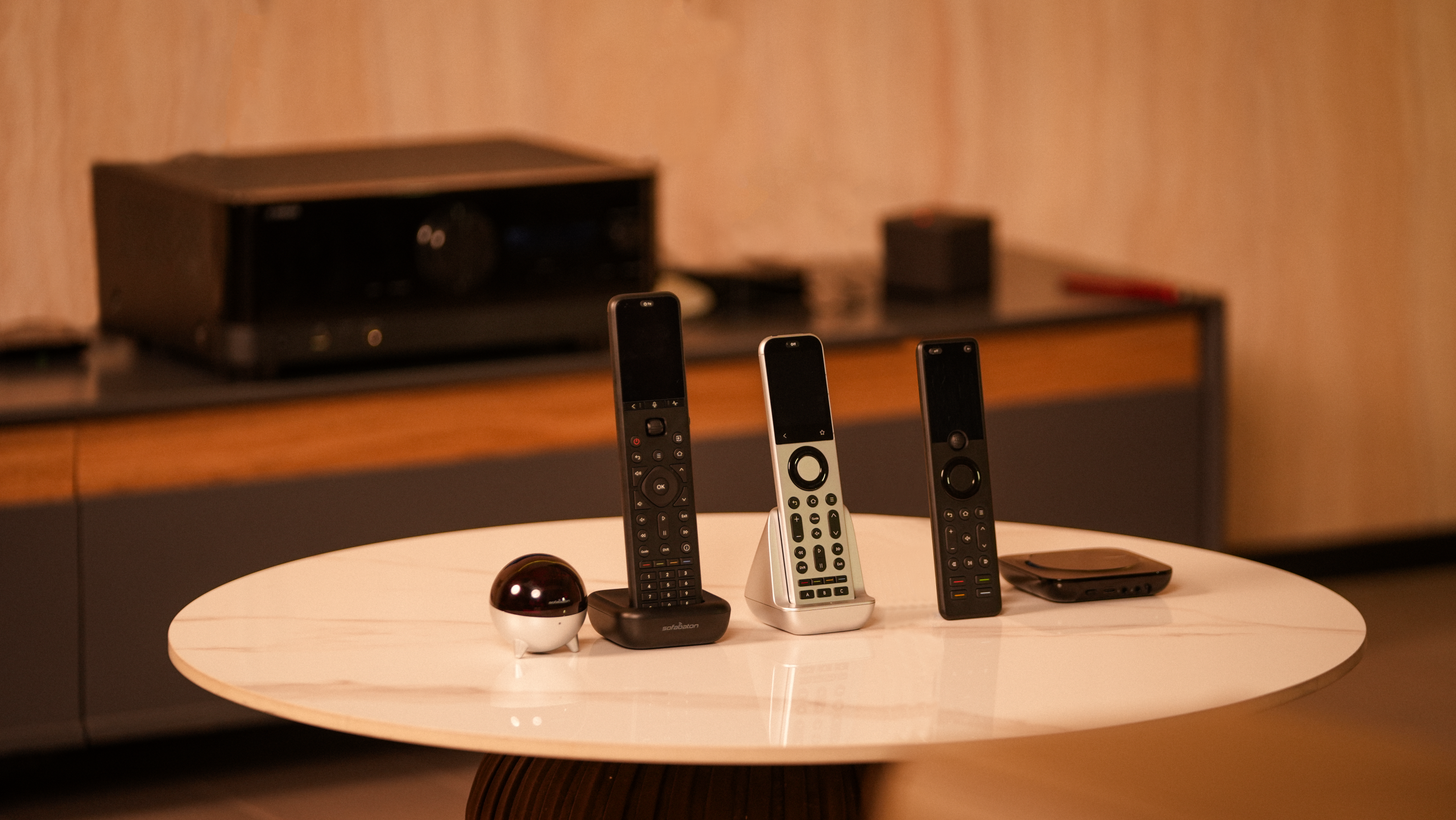
Quick Answer: Which Remote Should You Choose?
| If your setup is like this | Best fit | Why |
|---|---|---|
| Your living room mainly includes a TV, streaming box, sound system, or set-top box. You do not have many devices, around 3-5 in daily use, but you often switch remotes or search for content. | U3 | It brings basic device control, IR learning, air mouse navigation, voice search, and macros into one remote. It is closer to the way most people use a daily streaming living room. |
| Your setup has started to grow and may include a TV, streaming box, projector, AV receiver, media player, set-top box, speakers, and other entertainment devices. You often need to turn on multiple devices together. | X1S | The Hub sends control commands in a unified way. The focus is not simply controlling more devices, but turning power, input switching, and volume routing into one-touch activities. |
| You have more devices, hidden equipment, Home Assistant support, or more complex smart home integration needs. | X2 | On top of the Hub architecture, X2 adds IP control, RF learning, Home Assistant, a touchscreen, and broader Bluetooth / Wi-Fi device support. The touchscreen makes activities, devices, and frequently used controls easier to see and access, making X2 a stronger fit for advanced entertainment systems with hidden devices, network devices, RF devices, and smart home integration. |
SofaBaton U3: A New Lightweight Choice for Everyday TV and Streaming Control
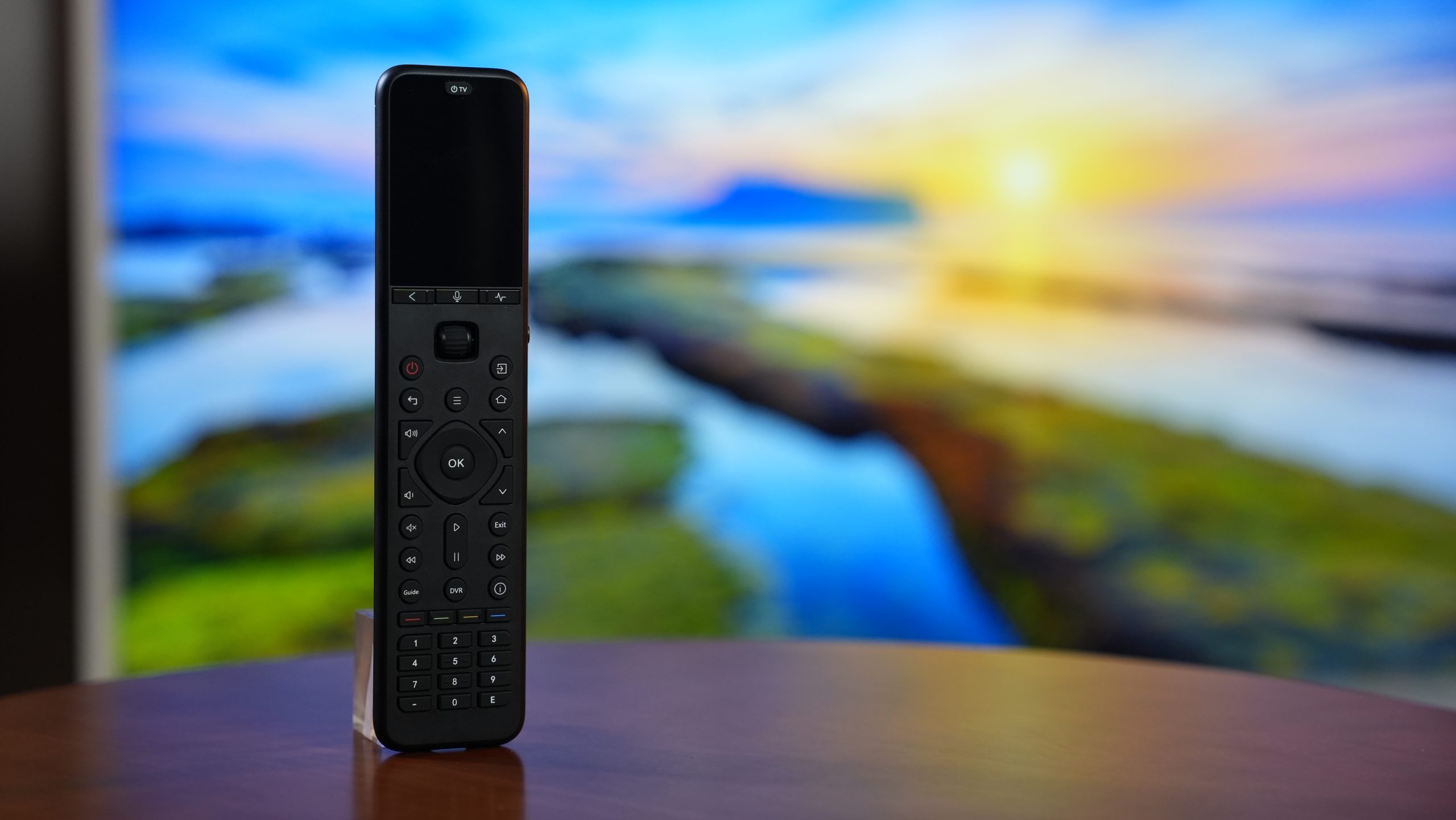
As a new SofaBaton product, U3 is a lightweight all-in-one remote designed for everyday living rooms and media rooms. Its focus is not to make every smart home scenario complicated. Instead, it makes high-frequency actions such as watching TV, streaming content, and operating a TV box smoother.
Compared with remote systems that require Hub network setup, U3 has a more direct setup path. Users can start with the remote itself and the App to pair via Bluetooth, add devices, learn buttons, and create macros. This makes it a more approachable choice for first-time universal remote buyers.
Many homes do not have especially complex needs. They may use a TV, streaming box, set-top box, and soundbar every day, but the number of devices is still limited. What users really want to solve is usually not building a complex control system. It is finding fewer remotes, switching inputs less often, and searching or moving the cursor without pressing directional buttons one step at a time. U3 is well suited to this kind of lightweight daily living room or media room setup.
One of U3's new features is air mouse control. For streaming devices or TV boxes that support Bluetooth mouse input, air mouse lets users move the on-screen cursor by moving the remote. This is especially intuitive when searching for content, entering text, moving a cursor, or selecting on-screen elements. Keep in mind that air mouse does not apply to every TV or pure infrared device. The actual experience depends on whether the target device supports external Bluetooth mouse input.
U3 also supports voice assistant functionality. Users can use voice search or voice commands on devices that support the corresponding Bluetooth voice invocation. This feature depends on support from the target device itself and does not apply to other voice assistant platforms or pure infrared devices.
For infrared devices, the U3 remote itself usually needs to be pointed at the device receiver window. If your TV, set-top box, player, or audio device is inside a cabinet, or if you want macros to work with less aiming, you can pair U3 with the R1 Repeater. Its main role is to send infrared signals to a better position and expand IR coverage.
If your main problems are too many remotes, scattered daily operations, and slow content search, U3 is the lighter and more direct choice.
SofaBaton X1S: One-Touch Activity Control for Multi-Device Home Theaters
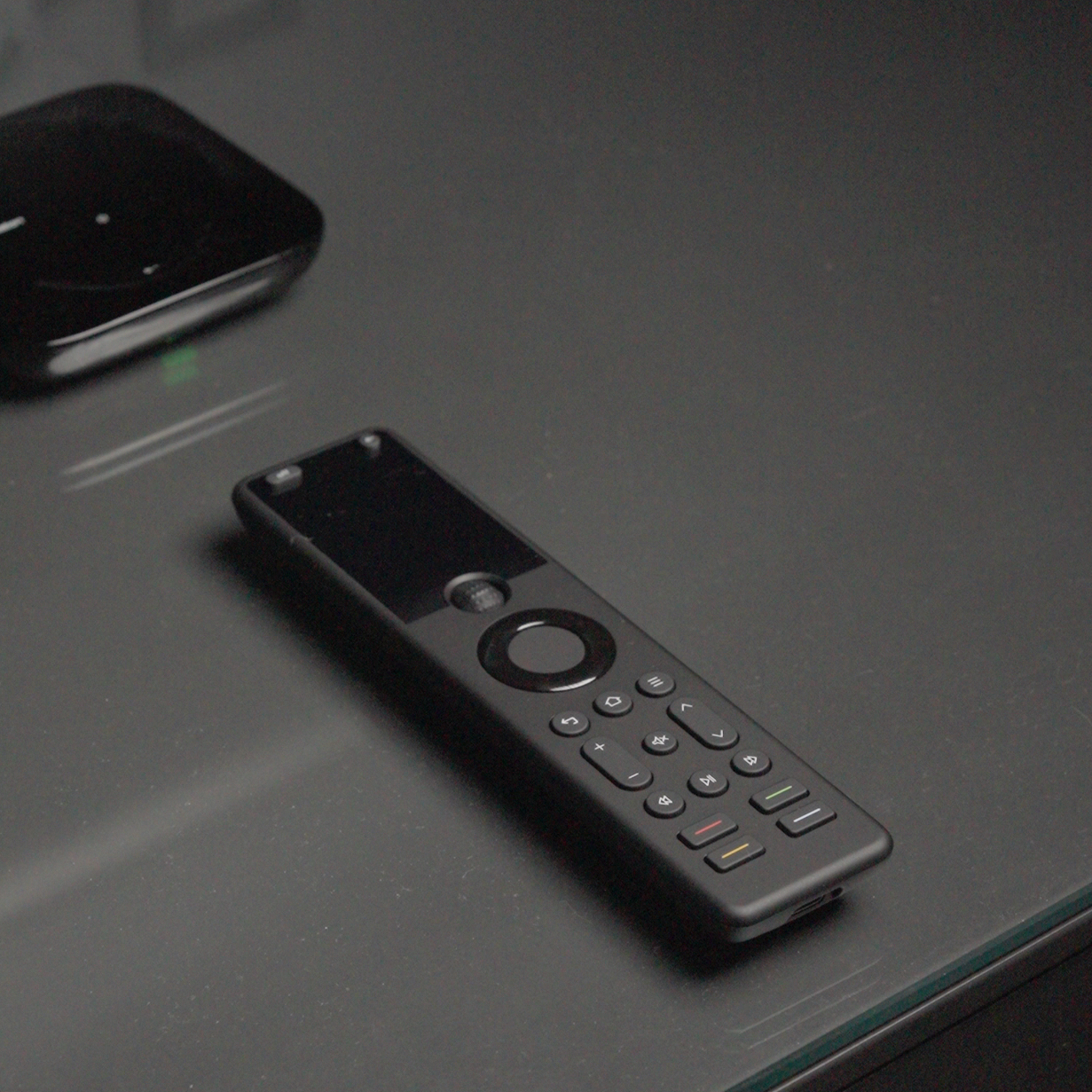
If U3 solves everyday multi-device control in a living room, X1S solves a different problem: how to bring an entire home theater system into the right viewing state reliably.
When your home theater includes more than a single TV, such as a TV, projector, speakers, AV receiver, and media player, the problem is often not whether a device can be controlled at all. It is the repeated need to manage power order, input switching, audio output, and device wake states before watching. A TV remote or HDMI-CEC may be enough in simple setups, but when multiple brands, inputs, and devices are involved, stability can be affected by device compatibility, firmware settings, and connection chains.
The value of X1S is that it turns multiple devices and multiple steps into one activity. You can create one-touch macros for activities such as Watch TV, Watch Movie, or Listen to Music, so X1S turns on the right devices in the right order, switches to the correct input, and routes volume control to the AV receiver or soundbar. For family members, there is no need to understand AV receiver inputs, player states, or TV settings. They can simply press once and get to the viewing experience they want.
The Hub is what separates X1S from a regular infrared remote. After a command is pressed on the remote, the signal is first sent to the Hub, and the Hub then controls the TV, projector, AV receiver, media player, or set-top box. This means users do not need to point the remote at one specific device every time. If equipment is placed inside a media cabinet, or if multiple devices need to participate in one activity, the Hub is better suited to this home theater scenario than a single handheld IR remote.
So X1S is not only about controlling more devices. It is about making a complex entertainment system easier to use. It is well suited to homes that already have a TV, projector, speakers, AV receiver, media player, and other entertainment devices, and that frequently switch between different viewing scenarios. It is especially useful when you want other family members to enter the correct setup state with one touch.
SofaBaton X2: Built for Advanced Home Entertainment and Smart Home Control
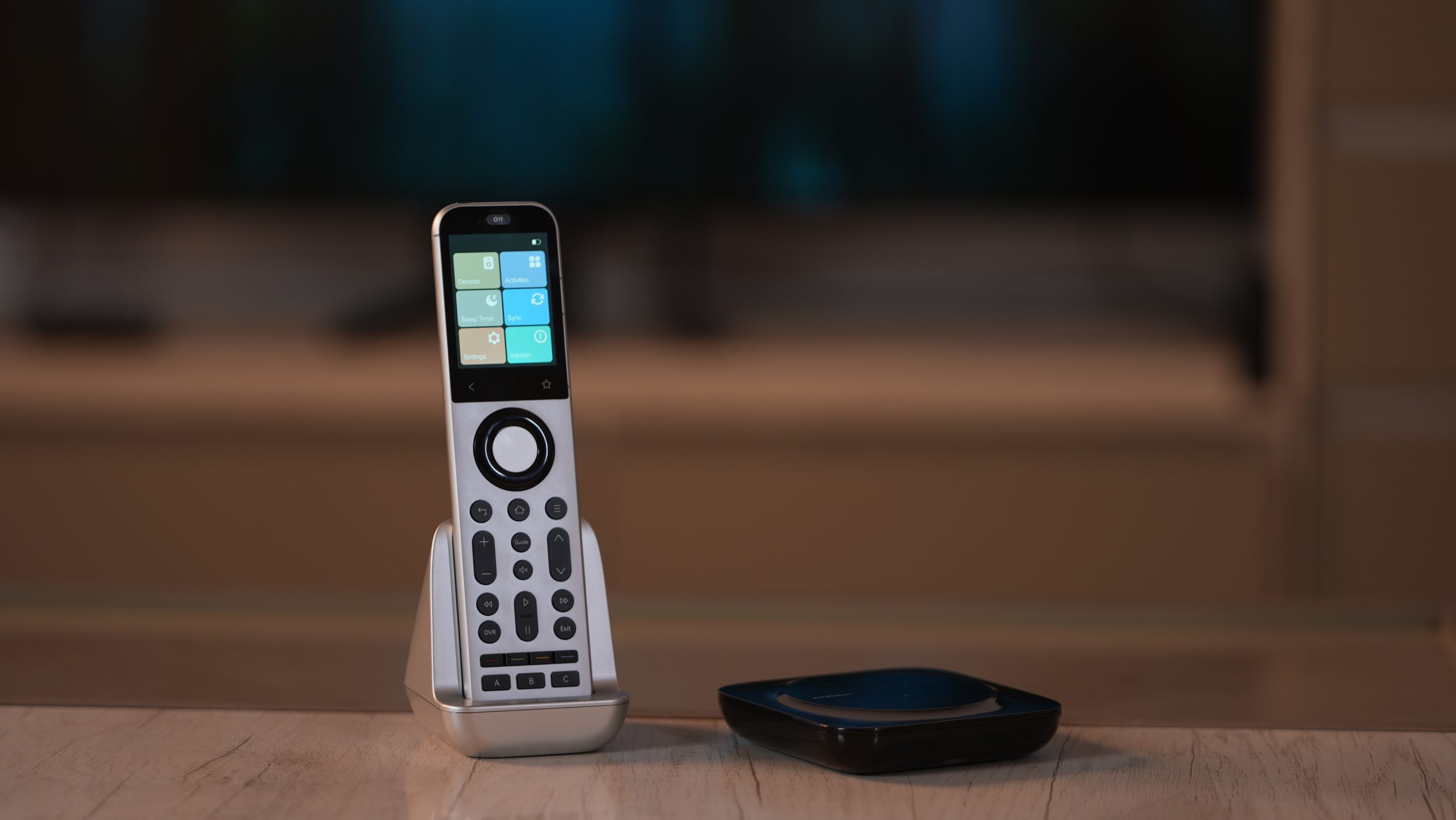
If X1S is about organizing multiple entertainment devices into one-touch activities, X2 is about bringing home theater devices, network devices, and smart home control into a more complete system.
Compared with X1S, the biggest upgrade in X2 is not simply controlling a few more devices. It is an upgrade in control methods and interaction. The touchscreen makes devices, activities, and frequently used controls easier to browse. IP control allows X2 to send commands to compatible devices over the local network. Home Assistant support gives entertainment control a path into more advanced smart home automation. RF433/RF315 learning can also cover certain RF devices such as projection screens, fans, and curtains.
The value of IP control is that it does not depend on infrared angle and does not require the device to be exposed to an IR signal path. For devices that support network control, users can create virtual devices in the App and configure URLs and request methods for different commands, such as powering on a device or triggering a local automation. Compatible AV receivers, Sonos, Philips Hue, or devices and scenes exposed through Home Assistant can all potentially become part of the same control logic.
For homes with more hidden equipment, X2 can also work with the R1 Repeater to improve infrared coverage. R1 can send IR signals closer to the target equipment, making it easier for devices in media cabinets, corners, or locations farther from the Hub to receive commands.
Because X2 is designed for more complex entertainment and smart home scenarios, its setup is also more personalized. Touchscreen shortcuts, IP control, Home Assistant, RF learning, and hidden-device coverage all need to be configured according to the user's own devices and habits. For users willing to spend a little time organizing their home control logic, these settings provide more room to expand and a more complete control experience.
If you only need to quickly replace a TV remote, X2 may not be the easiest choice. But if your home entertainment system is already connected to a smart home ecosystem, X2 offers more room to grow. It can work with platforms such as Home Assistant, and it can also combine voice assistants and automation scenes to bring entertainment devices, lights, curtains, and other network devices into a more unified control logic.
U3, X1S, and X2: Specs Comparison
| Comparison Point | SofaBaton U3 | SofaBaton X1S | SofaBaton X2 |
|---|---|---|---|
| Control architecture | Remote controls devices directly; IR needs line of sight | Remote sends commands to the Hub, and the Hub controls devices; the remote itself has no IR emitter | Remote + Hub system with broader multi-protocol and smart ecosystem control |
| Main control methods | IR / Bluetooth / RF | IR / Bluetooth / Wi-Fi | IR / Bluetooth / Wi-Fi / IP / RF |
| Screen | 2.4-inch LCD | 2.0-inch LCD | 2.4-inch color touchscreen |
| Dimensions | 190 x 46 x 15 mm | 190 x 46 x 15 mm | 190 x 48 x 13 mm |
| Battery capacity | 1200mAh | 1050mAh | 1200mAh |
| Battery life | About 15 days | About 40 days | About 30 days |
| Charging time | About 3 hours | About 3 hours | About 3 hours |
| R1 Repeater support | Supported | Not supported | Supported |
| Setup experience | More direct setup path; can pair without a network and does not require pairing an additional Hub | Requires a network environment to configure the Hub and activities | More personalized setup that takes more time to configure |
Note: Product specifications may change by version, region, or sales page update. Before purchasing, please refer to the official product page and the manual included in the package.
After-Sales Support: You Do Not Have to Figure It Out Alone
The experience of using a universal remote depends not only on the hardware, but also on setup and support. SofaBaton provides product guides, FAQs, video tutorials, technical support access, email support, and online communication channels. When new users set up devices, learn buttons, configure macros, or create activities, they can find corresponding steps through official support resources.
Before purchasing, it is recommended that you confirm your device models, especially for TVs, projectors, AV receivers, set-top boxes, media players, and smart TV system versions. The more accurate the device model, the smoother it will be to add devices and troubleshoot issues.
If you run into problems after purchase, such as a device not matching, a button not working, incorrect input switching, or Bluetooth pairing failure, do not rush to assume the remote is not suitable. Many issues can be solved by re-adding the device, learning buttons from the original remote, adjusting delays, or modifying activity steps. Information about devices that are not yet included can also be shared with the technical team to help improve the IR code database over time.
In addition, SofaBaton's official return, exchange, and warranty policies may vary by purchase channel and region. Users are encouraged to purchase from the official store or authorized channels and keep order information and proof of purchase for smoother support later.
FAQ
Is U3 suitable for first-time universal remote buyers?
Yes. U3 is closer to everyday TV and streaming control, especially for users who want to replace multiple remotes with one. If your devices are mainly a TV, streaming box, soundbar, or set-top box, U3 is a lighter starting point.
How compatible are SofaBaton remotes?
The SofaBaton remote database covers 6,000+ brands and 500,000+ devices, helping users match common home entertainment devices such as TVs, set-top boxes, network speakers, smart lights, and projectors. Different models support different control methods.
What is an air mouse?
An air mouse can be understood as a mouse in the air. When users move the remote, the on-screen cursor moves with it. It is useful for searching content, entering text, selecting apps, or operating on-screen elements. U3's air mouse feature depends on whether the target device supports Bluetooth mouse input and does not apply to every TV or pure infrared device.
What is the biggest difference between X1S and X2?
X1S focuses more on home theater activity control and is suitable for integrating TVs, speakers, media players, projectors, and similar devices. X2 is more advanced, adding a touchscreen, Home Assistant, IP control, and RF learning, making it a better fit for complex device setups and smart home users.
Which model should I consider if I am looking for an alternative to a traditional smart remote system?
If you value home theater activity control and a balanced budget, consider X1S. If you want a remote closer to a higher-end smart remote system experience, X2 should be your first choice.