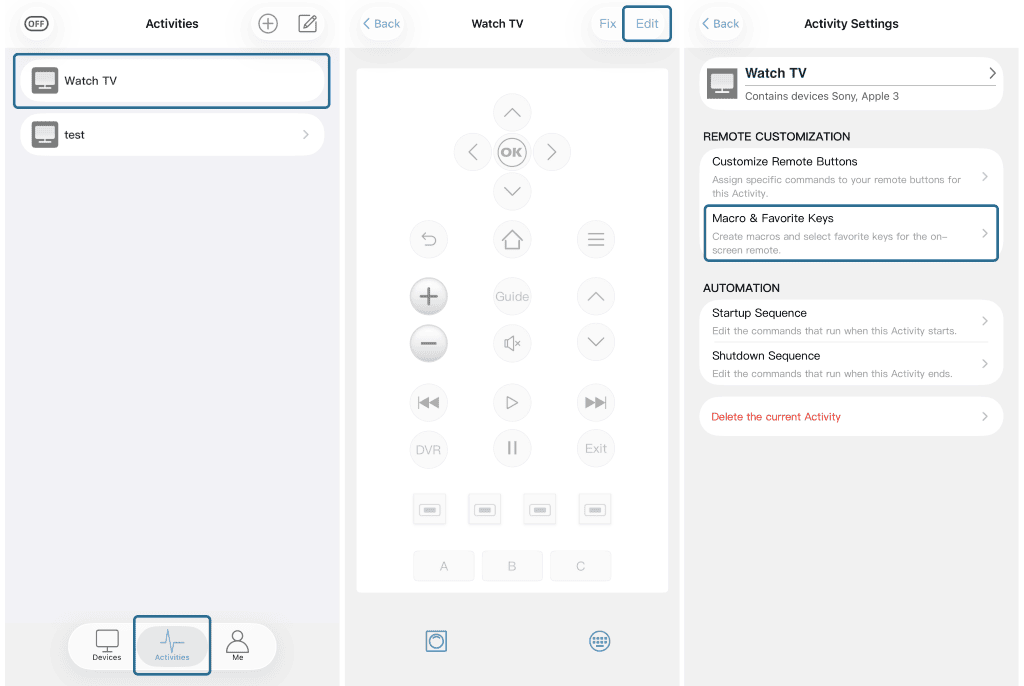


To create a macro on X1S/X2:
1. Ensure your activity works correctly first.
2. In the Sofabaton app, go to Activity page → select activity → Edit → Customise Remote Buttons (physical keys) or Macro & Favourites Keys (screen buttons).
3. Add your commands (e.g., channel 1,2,3) and tap Save.
4. Sync: Me > Settings > Sync remote.
5. If it fails, describe how you do it with the original remote and send a screenshot of the app’s Macro page, and contact our support team.