Follow these steps:
Plug your R1 into a power source.
Open the Sofabaton App on your phone and pair with U3.
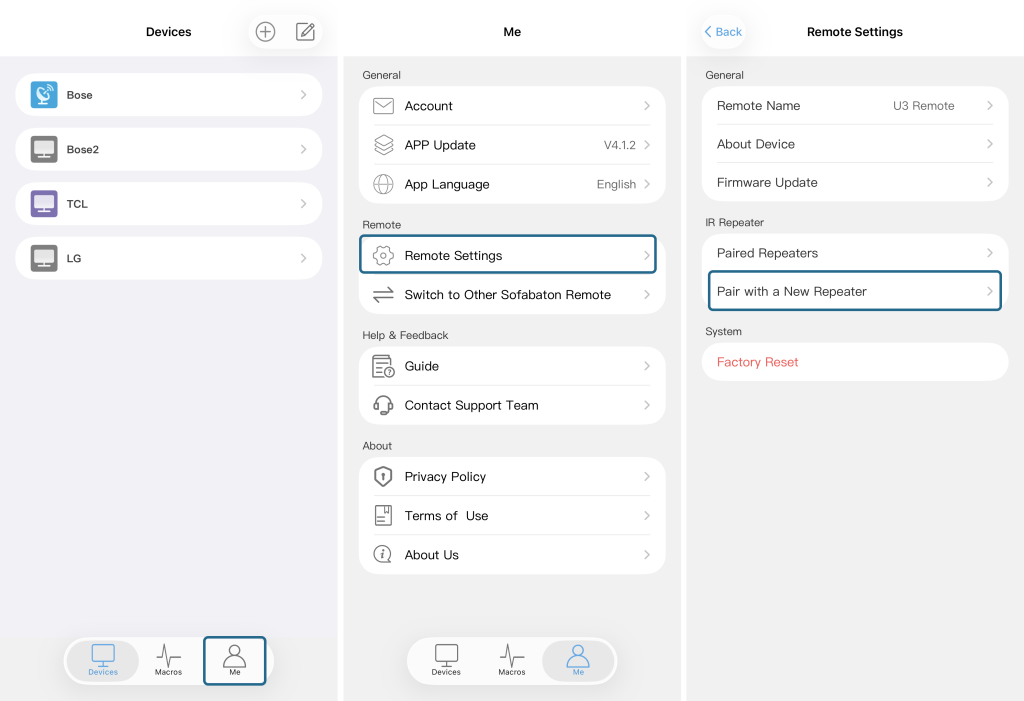
In the App, tap “Me” at the bottom‑right corner, then select “Remote Settings”, and choose “Pair with a New Repeater”.
Follow the on‑screen instructions: press and hold the button on the U3 remote for 3 seconds until its LED starts to flash slowly.
The U3 remote will display “Waiting to Pair…” while pairing is in progress.
Once pairing is successful, the remote will show “Pairing Successful” – you’re all set.