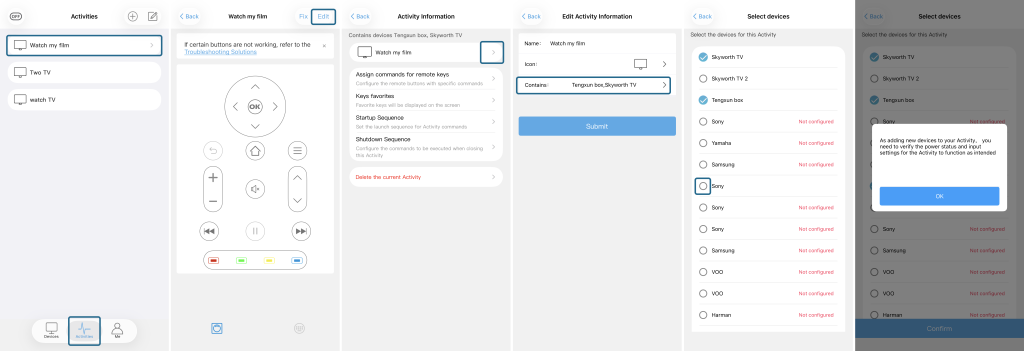





Follow the steps below to manage the devices included in an Activity:
- Open the Sofabaton app and tap Activities.
- Select the Activity you want to modify.
- Tap Edit in the upper-right corner.
- Tap the “>” icon next to the Activity name.
- Tap Contains.
- Select or deselect the devices you want to add or remove.
- Tap Submit or Confirm to save your changes.
When adding a new device, you may be prompted to verify its power status and input settings. Complete the required settings and tap OK.
Please refer to the screenshot below for a step-by-step visual guide.