


Normally, your U2 remote’s display will automatically turn off after your preset sleep time. However, when connected to the SofaBaton app, this auto-off feature is temporarily disabled to maintain control functionality.
To allow the display to turn off:
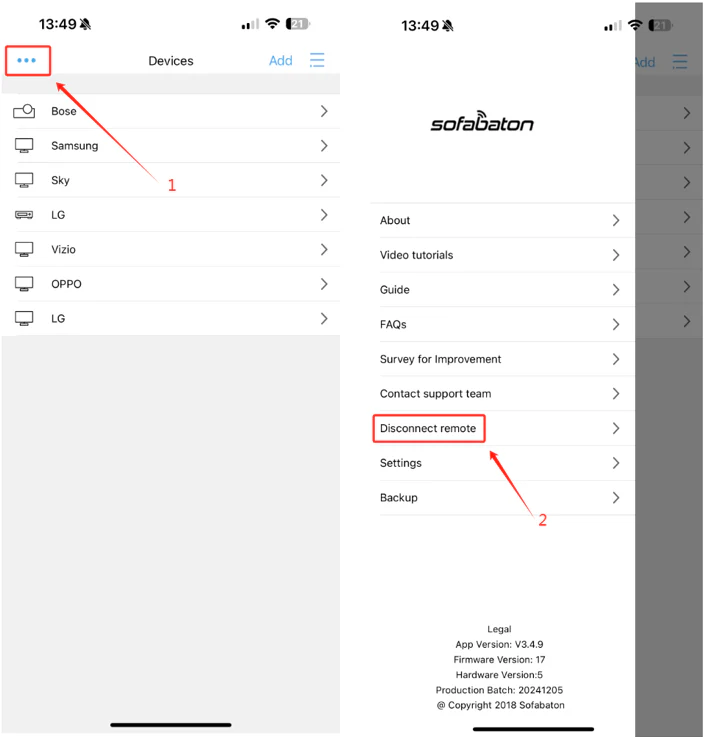
1. Open the SofaBaton app
2. Locate the horizontal three-dot menu in the top-left corner (as shown below)
3. Select “Disconnect Remote”
As an alternative solution, you could try turning off Bluetooth on your phone.