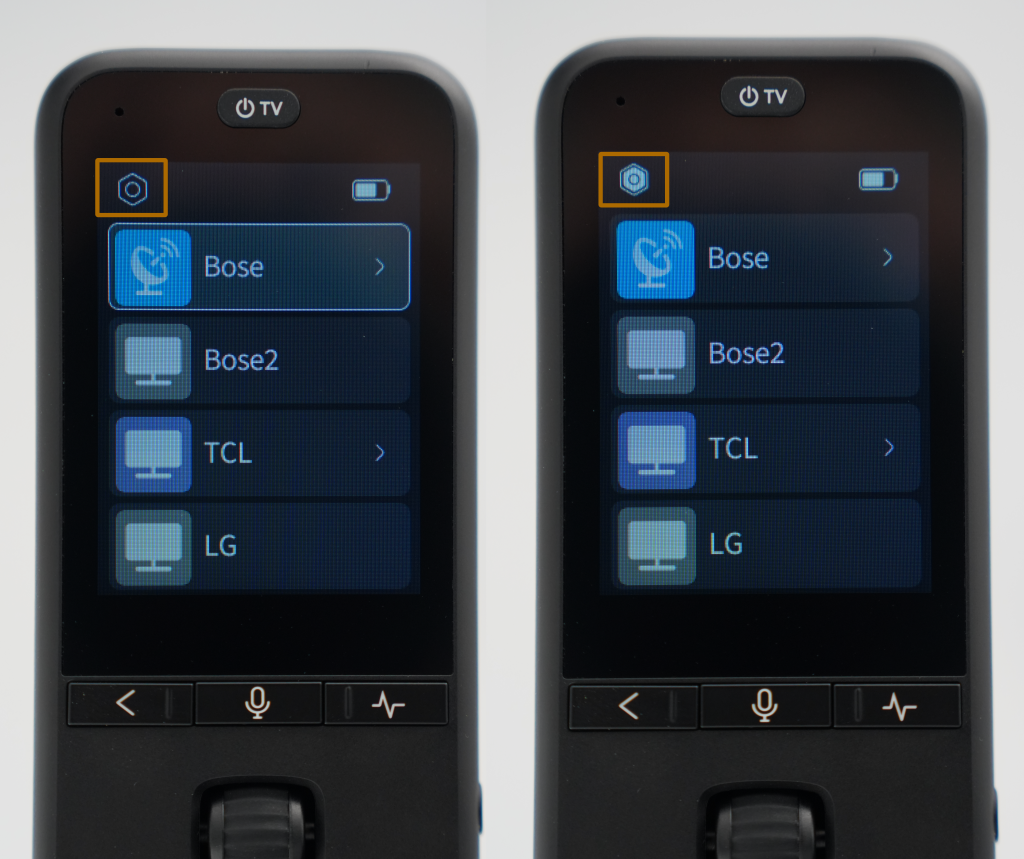
On the home screen, you’ll see a device list. The cursor usually stays on that list (e.g., on the first device, as in Figure 1), and the Settings icon at the top‑left is hollow. Scroll upwards with the wheel until that icon becomes solid – that indicates Settings is selected. Then press the wheel to open the Settings page, where you can configure language, screen timeout, raise‑to‑wake, and other preferences.