





Short answer: A replacement remote can control your TV but not your soundbar. One common reason is that it is set up only for the TV. It can also use the wrong control method or lack the soundbar’s volume commands. First, check the audio connection, remote protocol, device setup, and line of sight. If you want one remote for the TV, soundbar, and streaming player, look for a multi-device universal remote.
If your replacement remote does not control soundbar volume but still controls the TV, that does not always mean it is broken. Some replacement remotes are designed only for the TV. The right fix depends on the soundbar connection and how each device receives commands.
The steps below cover the most likely causes and a few simple tests. They will help you decide whether you need a basic replacement remote or a multi-device universal remote.
Why a Replacement Remote Controls the TV but Not the Soundbar
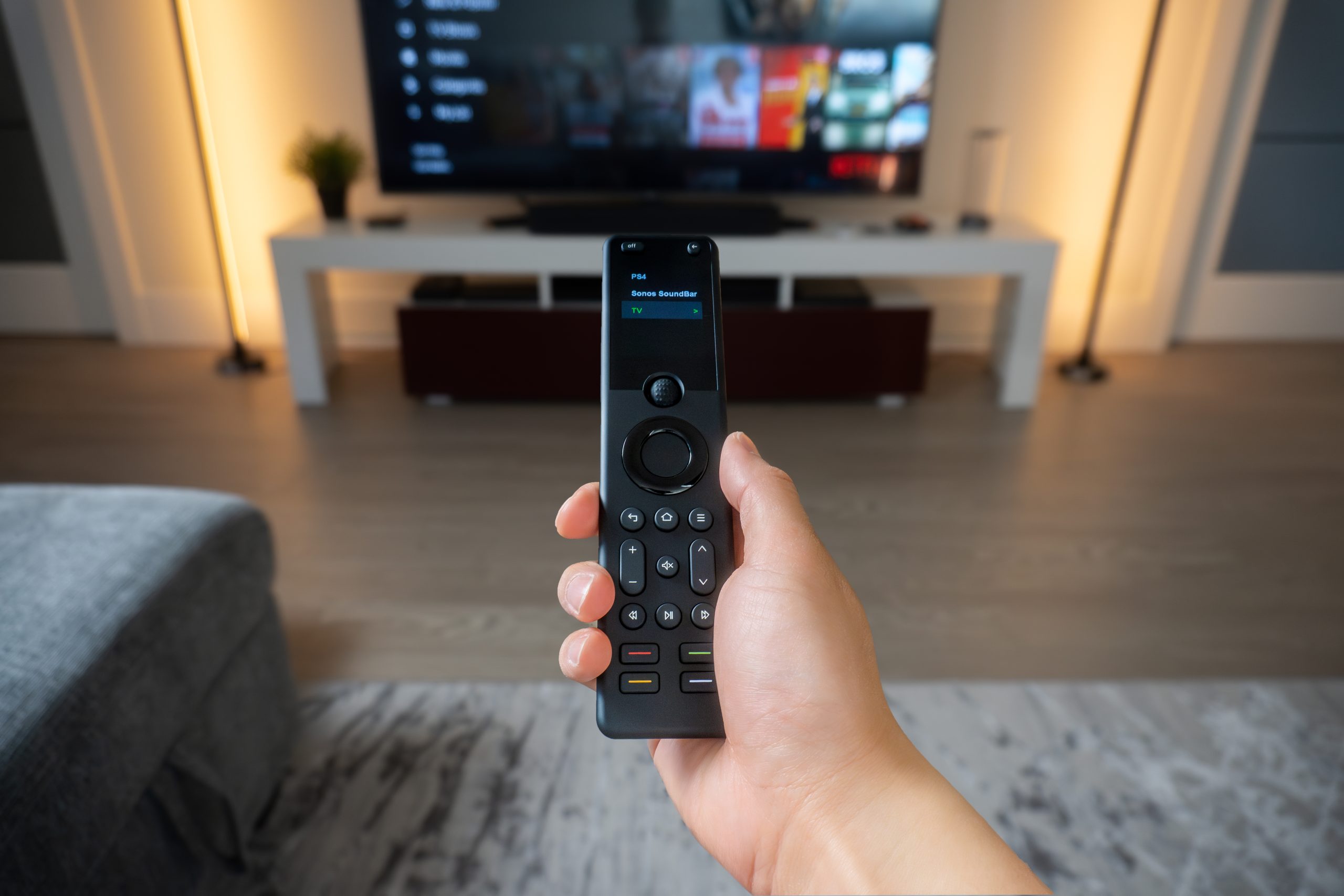
Most replacement remotes are made for one TV brand or model family. They can send power, input, channel, and menu commands to the TV. A soundbar uses its own command set. The volume buttons will work only if the remote controls the soundbar directly or the TV passes commands through HDMI-CEC.
The remote is programmed for only one device
Check the remote’s product page or manual. Some TV replacement remotes contain only TV commands. They can control the TV but still lack the codes for your soundbar.
The devices use different control methods
Infrared (IR) sends light-based commands to a device’s IR receiver. Bluetooth and Wi-Fi use other control paths. For example, a streaming box can use Bluetooth for navigation, while the soundbar uses IR for volume. Support for one method does not guarantee support for the others.
This matters with an optical soundbar connection. In many setups, the remote must send IR volume commands straight to the soundbar. If volume still does not work, program the remote or use a learning feature. Check the instructions for your soundbar model.
HDMI-CEC is not the same as a remote code
HDMI-CEC lets compatible devices share common commands through an HDMI cable. With CEC turned on, a TV remote can control soundbar volume on supported devices. ARC or eARC sends TV audio back to the soundbar or receiver. Support varies, so some functions can still fail.
TV brands use different names for CEC. Samsung calls it Anynet+, and Sony calls it BRAVIA Sync. If you use HDMI-ARC or eARC, turn on CEC on both the TV and soundbar. Then test the remote again.
Optical audio often needs separate setup
An optical cable carries digital audio, but it does not carry HDMI-CEC commands. The soundbar can play TV audio while ignoring the TV replacement remote. Some soundbars can learn IR volume commands. Others require setup in an app or menu.
The IR sensor may be blocked
If the soundbar uses IR, its sensor needs a clear view of the signal. A cabinet door, decoration, low TV stand, or the soundbar itself can block it. Stand a few feet away and point the remote at the soundbar. If that works, the problem is line of sight, not programming.
What to Check When a Replacement Remote Won’t Control Soundbar Volume
Do not buy another remote yet. Follow these checks to find out whether the problem is the connection, compatibility, or programming.
- Write down each exact model number. Record the TV, soundbar or receiver, streaming player, and current remote. Control methods can vary between models from the same brand.
- Identify the audio connection. Check whether the soundbar uses HDMI-ARC, eARC, optical, analog audio, or another connection. The connection affects how volume control works.
- Test each device on its own. First, confirm that the replacement remote controls the TV. Then test the soundbar with its original remote or app. If that fails, fix the soundbar problem first.
- Check CEC and volume settings. If you use HDMI-ARC or eARC, turn on CEC on the TV and audio device. Look for settings called Audio System, Receiver, External Speakers, or Volume Control.
- Try soundbar setup or learning mode. If the remote is programmable, add the soundbar by brand and model. If learning is available, copy Volume Up, Volume Down, and Mute from the original soundbar remote.
- Retest from your usual seat. Check power, navigation, volume, mute, and input switching. If the remote works only at close range, check for an object blocking the IR signal.
Useful test: cover the front of the remote and press a TV navigation button. If the TV responds but the soundbar does not, this suggests the TV uses Bluetooth or RF while the soundbar still uses IR.
Can a Universal Remote Control a TV and Soundbar Together?
Yes. A compatible universal remote can control both devices. It can send power and input commands to the TV, volume and mute to the soundbar or receiver, and navigation to the streaming player. Check support for each exact model and control method.
A good one-remote setup should match how you use the room. A movie activity can turn on the right devices, select the correct inputs, and keep unused devices off. It can also assign the volume buttons to the soundbar or receiver.
Streaming devices add another control path
Streaming players can use HDMI-CEC, IR, Bluetooth, or Wi-Fi. Apple TV 4K, Roku, and Fire TV do not all use the same method. Check your exact model before you buy a universal remote.
Hidden equipment needs a hub or extender
Basic IR remotes need a clear path to the device. They cannot reach equipment behind an opaque cabinet door without an IR extender. A hub-based universal remote can send IR from inside or near the cabinet. This solves line-of-sight problems, but it does not add support for an incompatible device.
Replacement Remote vs. Universal Remote: Which One Do You Need?
Choose based on how many devices you use and which steps you want to simplify. If you are unsure, compare SofaBaton U3, X1S, and X2 before deciding.
- Choose a basic replacement remote if one TV remote is lost and you need the original TV functions. Keep using separate soundbar or streaming remotes if that works for you.
- Choose a multi-device universal remote if you need to control the TV and soundbar together. It is also useful for a streaming player, frequent input changes, or equipment inside a cabinet.
- Do not rely on the word ‘universal.’ Check the exact models, protocols, and buttons you need.
When SofaBaton X1S Is the Better Fit
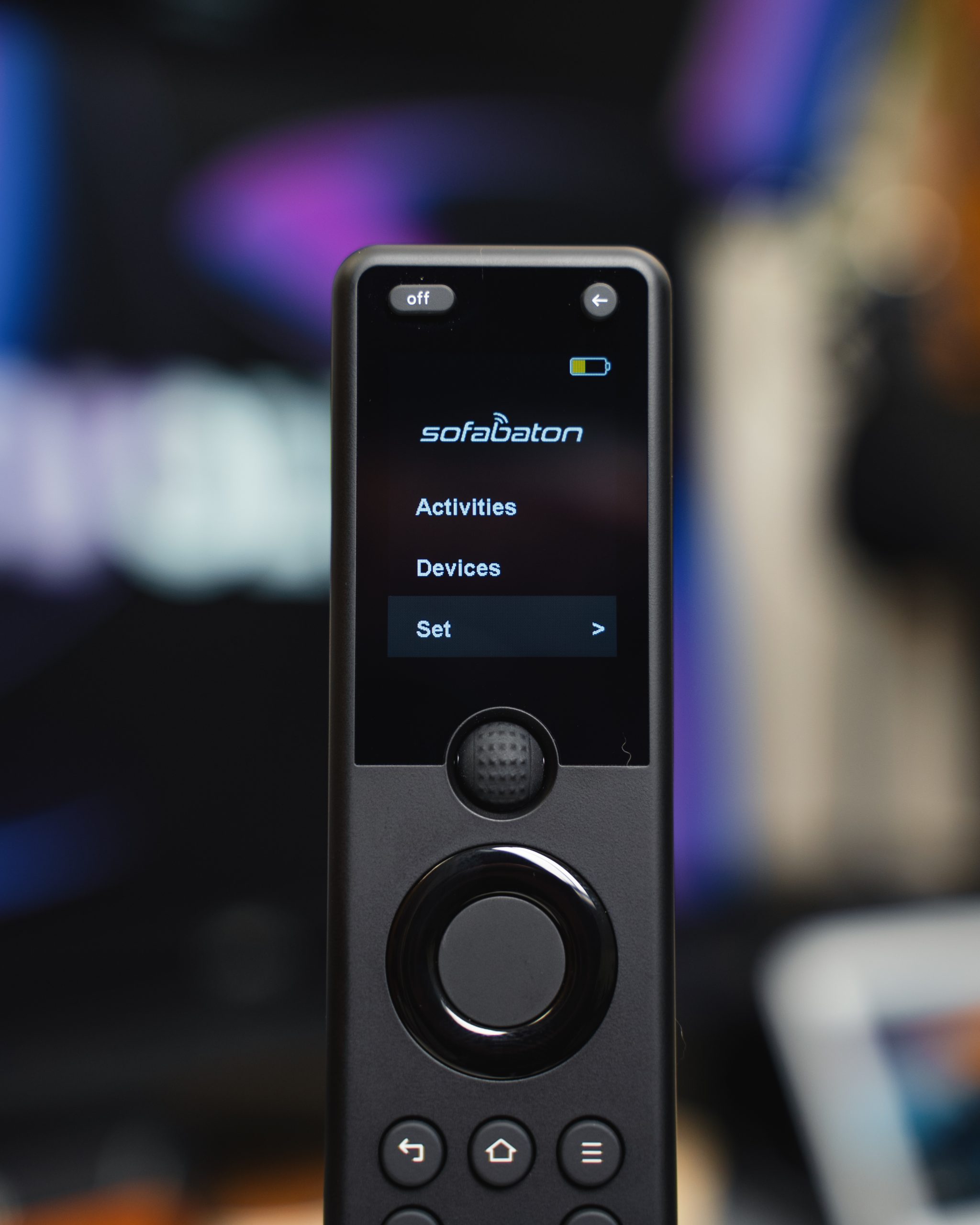
Consider SofaBaton X1S when you need more than a replacement for one handset. It is designed for hub-based control, one-touch activities, repeated input changes, and compatible equipment inside a cabinet. It can send picture and input commands to the TV. It can also send volume commands to the audio system and navigation commands to the streaming player.
That is the main difference between X1S and a basic replacement remote. The X1S Hub can run activities and send custom commands. Its IR blasters can reach compatible equipment in cabinets or other hard-to-reach places. This is useful when several devices need different commands during one activity.
Compatibility depends on your exact models and control protocols. IR devices are often easier to set up. Bluetooth and Wi-Fi support depends on the device type and integration. Check each TV, soundbar, and streaming player by model number before you buy. Do not assume that every Wi-Fi or RF device will work.
When X1S Is More Than You Need
If you only need to replace one lost TV remote, start with a lower-cost replacement. A simple TV, soundbar, and streaming setup does not need X1S unless you also need a hub or activity-based control. In that case, compare simpler SofaBaton options first. Skip another control system if HDMI-CEC already works well.
Compatibility Checklist Before You Buy
- TV brand and exact model number
- Soundbar or AV receiver brand and exact model number
- Streaming-device model and generation
- Audio connection: HDMI-ARC, eARC, optical, analog, or another method
- Control method for each device: IR, Bluetooth, Wi-Fi, or a combination
- Required commands: power, volume, mute, navigation, input, playback, and special buttons
- Equipment location: open shelf, cabinet, closet, or another room
- Desired activity, such as turning on the TV and soundbar, selecting the streaming input, and routing volume to the soundbar
A remote can support a brand without supporting every model or command. Check the exact devices and the functions you need. A match in the database does not prove that every button will work.
Frequently Asked Questions
Why does the remote turn on the TV but not change soundbar volume?
The power button can send a valid TV command while the volume buttons still control the TV. Another possibility is missing soundbar programming. Other causes include disabled HDMI-CEC, an optical connection that needs IR setup, or a blocked IR sensor.
Can one universal remote control both a TV and soundbar?
Yes, if the remote supports both exact models and their control methods. It can send power and input commands to the TV. It can send volume and mute commands to the soundbar. Check the functions you need as well as the device listing.
Does a universal remote work with an optical soundbar, or do I need HDMI-ARC?
Yes. With optical audio, the remote often needs to control the soundbar through IR or a learning feature. HDMI-ARC with CEC can pass common volume commands, but ARC is not required for direct IR control. Neither method guarantees every soundbar function.
Do I need an IR, Bluetooth, or Wi-Fi universal remote?
Match the remote to your devices. Many TVs and soundbars accept IR. Streaming players can use Bluetooth or Wi-Fi. A mixed setup needs a remote or hub that supports each required protocol. RF, Bluetooth, and Wi-Fi are not interchangeable.
Can a universal remote control devices hidden in a cabinet?
Yes, if you use a hub-based remote or IR extender. Place the signal source inside or near the cabinet. This fixes signal placement, but it does not add support for an incompatible model or protocol.
How do I know whether SofaBaton X1S supports my devices?
Search for each brand and model in the SofaBaton app or X1S compatibility checker. Then check the protocol and the functions you use most. Pay extra attention to Bluetooth, Wi-Fi, power, input switching, and device-specific buttons.
The Bottom Line
When a replacement remote controls the TV but not the soundbar, the problem is often programming, protocol, the audio connection, or a blocked IR path. Check the connection and settings before you buy another remote. A basic replacement is still the right choice when you only need to control one TV.
If you want one system for the TV, soundbar, streaming player, inputs, and hidden equipment, choose a multi-device remote. SofaBaton X1S fits compatible rooms that need hub-based activities. Check compatibility before you buy.
Further Reading
- Compare SofaBaton U3, X1S, and X2 – See which remote best fits your setup.
- Explore SofaBaton X1S – Review the Hub, Activities, voice control, and API.
- Check X1S Compatibility – Review IR, Bluetooth, and Wi-Fi support.
- View X1S Tech Specs – See size, display, control modes, and battery.
Next step: If your setup needs activities, repeated input switching, or cabinet control, check X1S compatibility for your exact TV, soundbar, and streaming-device models before you buy.