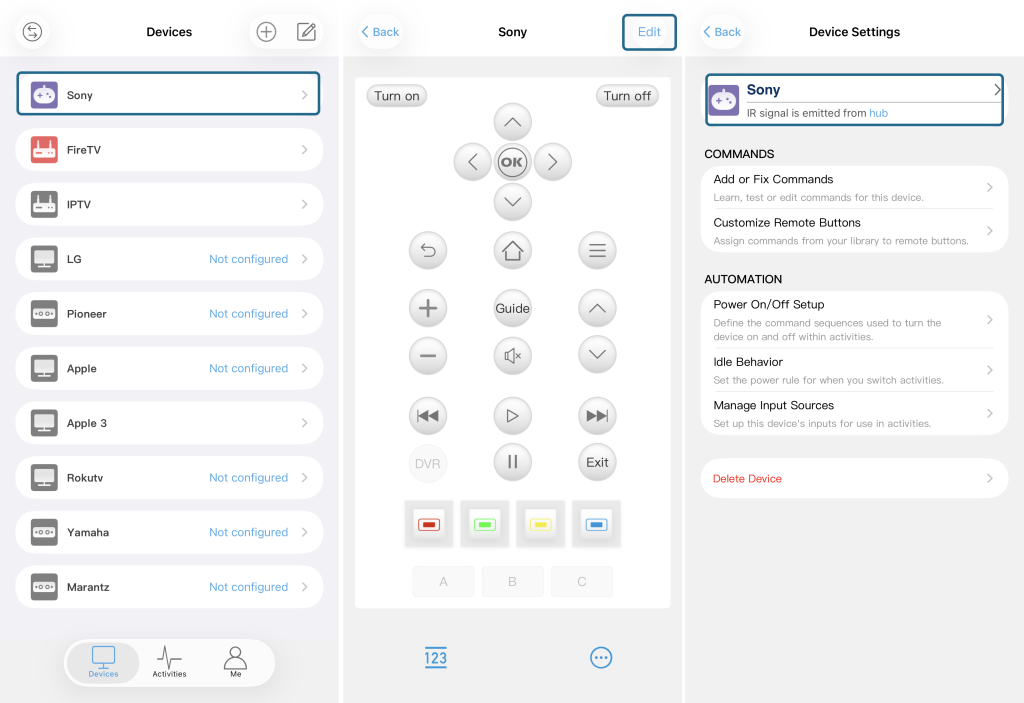
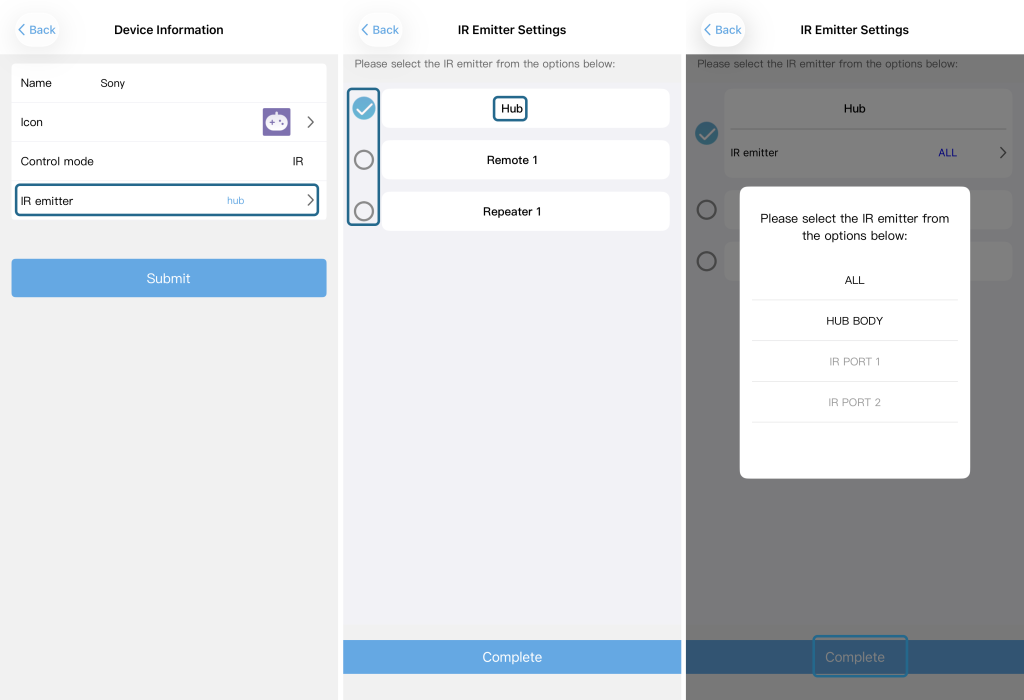
If you need to change which IR emitter your device uses – for example, from the built‑in Hub to a paired Remote or an R1 Repeater – follow the steps below. The attached screenshots provide visual reference.
Steps:
- On the Devices page, select the device you want to modify.
- Tap the Edit icon (top‑right corner) to enter the device settings.
- Tap the circled area shown in the screenshot to access the IR emitter settings.
- Tap the “IR emitter” field. A list will appear showing:
- The Hub itself,
- Any Remote you have paired,
- The R1 Repeater (if paired).
- Select the desired emitter from the list (e.g., Hub, a specific Remote, or the R1 Repeater).
- If the selected device has IR Blaster ports (e.g., Hub or R1 Repeater), tap on its name again to reveal additional port options – choose the one that fits your setup. (For paired Remotes without extra ports, this step may not appear.)
- Tap “Complete” at the bottom to save your changes.
The signal output will now be redirected to your chosen emitter.
Note: Only paired devices appear in the list. If your Remote or R1 Repeater is not listed, please pair it first.