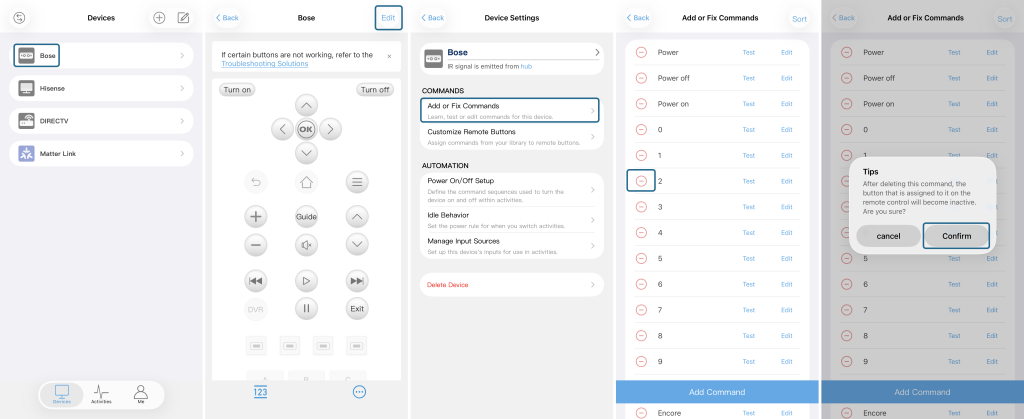
If unwanted buttons are displayed on your device, you can remove them via the Sofabaton App. Changes made in the App will automatically sync to your remote control.
- Select Device: In the Sofabaton App, go to the Devices page and select the device you want to edit.
- Enter Edit Mode: Once on the device page within the App, tap Edit in the top-right corner.
- Select Command Settings: On the Device Settings page, tap Add or Fix Commands.
- Select Command to Delete: In the command list, find the command you want to remove and tap the red minus (-) icon to its left.
- Confirm Deletion: According to the “Tips” pop-up, tap Confirm to delete the unwanted command.