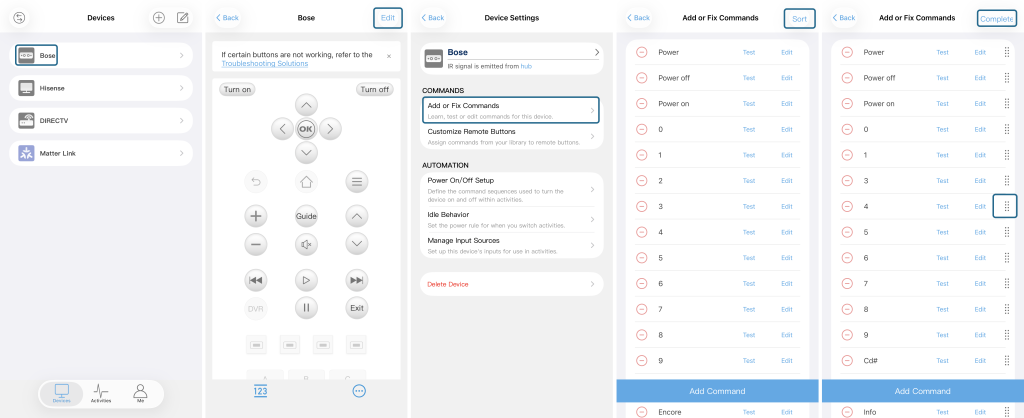
You can reorder commands via the Sofabaton App. Changes made in the App will automatically sync to your remote control.
- Select Device: In the Sofabaton App, go to the Devices page and select the device you want to edit.
- Enter Edit Mode: On the device page, tap Edit in the top-right corner.
- Select Command Settings: On the Device Settings page, tap Add or Fix Commands.
- Enter Sort Mode: On the Add or Fix Commands page, tap Sort in the top-right corner.
- Drag Commands: Press and hold the icon on the right side of a command, then drag it to the top or your desired position.
- Save Changes: Once finished, tap Complete in the top-right corner.